



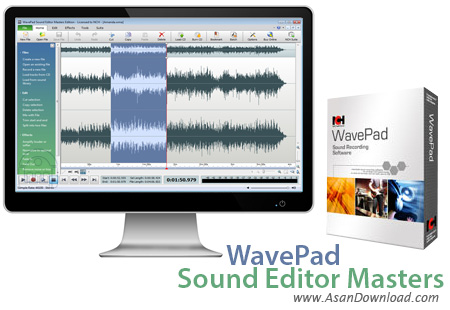
WavePad Sound Editor Masters نام نرم افزاری بسیار کارآمد است که با حجم بسیار پائین می تواند بهترین و کامل ترین امکانات را در اختیار کاربرانش قرار دهد. این ابزار فوق العاده کاربردی که در زمینه ویرایش صداها می توان از آن به عنوان ابزاری کلیدی بهره گرفت. این نرم افزار به عنوان بسته ای کامل که توانایی پشتیبانی از انواع فرمت های صوتی را دارا می باشد این قابلیت را دارد که پس از ویرایش صداها آن ها را با کیفیت و فرمت دلخواه ذخیر نماید. افکت های صوتی مختلف و جذابی که در نرم افزار گنجانده شده است کمک می کند تا کاربران ساده تر بتوانند به خروجی های مدنظر خود دست پیدا کنند. امکان حذف نویز موجود در صداهای ضبط شده همچنین قابلیت هماهنگی با سیستم های ضبط صداها با بهترین کیفیت از جمله دیگر خصوصیاتی هستند که در این نرم افزار به چشم می خورند.
قابلیت های کلیدی نرم افزار WavePad Sound Editor Masters:
- امکان ویرایش فایل های صوتی و موزیک ها
- وجود تقریبا تمامی امکانات لازم برای ضبط و ویرایش صداها
- امکان ضبط صدا با بهترین کیفیت
- قابلیت استخراج صداهای موجود در لوح های فشرده
- حذف نویز موجود برروی فایل های صوتی
- امکان قرار دادن افکت های مختلف بر روی فایلهای صوتی
- پشتیبانی از پلاگین VST برای استفاده از هزاران افکت آماده
- سازگار با نسخه های مختلف سیستم عامل محبوب مایکروسافت ویندوز
- و ...


WavePad tackles the audio editing software category and is addressed to everyday users, as well as small production studios. It’s bundled with a wide array of processing tools and effects in order to carry out complex audio mastering tasks. WavePad can also be used for voice recording and CD burning.
The installation process is easy to follow and ends in a few seconds. The user interface is elegant and professional, yet intuitive and accessible. On the left side of the interface, there are a few links to video tutorials (for which you need an internet connection because clicking them will redirect you to YouTube), as well as shortcuts to the most important functions of the software. More features can be explored via the program’s menus.
WavePad supports all commonly used audio formats, so working with a particular one shouldn't be difficult. Effects include working with an amplifier, normalizer, compressor, equalizer, multiple chain effect, and commands like reverse, fade, speed, cleanup, and voice.
Also worth taking a look at are the speed and pitch change, telephone effect, AM radio effect, text to speech, and several others.
Audio processing takes a little time to apply changes, during which you can't work with other features of the software. Once you're done playing with the tracks, save your progress or burning the files on audio CDs and share them with your friends.
In addition, WavePad also provides the possibility to analyze sound frequencies (FFT and TFFT) and an efficient batch audio converter that allows you to convert multiple audio files to various formats.
To sum up, the time we’ve spent with WavePad was worthwhile. It’s very intuitive and easy to work with and the processing speed is maintained at a decent level.


