



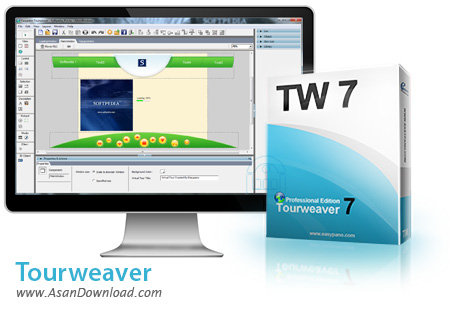
برای این مطلب نرم افزاری را در نظر گرفته ایم که امکان ساخت تصاویر پانوراما به صورت 360 درجه ای را فراهم می کند. ابزاری که با کنار هم قرار دادن تصاویر و پردازش آن ها تصویر خروجی را به شکلی آماده می کند که بتوان یک محیط 360 درجه ای را با کیفیت بسیار مطلوب در آن مشاهده نمود. Tourweaver نام این نرم افزار است که خروجی های کاملا پویا و اینتراکتیو را تهیه می کند و از آن می توان برای معرفی مکان های مختلف بهره گرفت. هماهنگی با نقشه گوگل ، وجود انواع کتابخانه های چندرسانه ای برای پردازش ، گرفتن خروجی های مختلف با فرمت های متعدد ، امکان به اشتراک گذاری آنلاین و ... برخی از قابلیت های کلیدی هستند که در این ابزار به وضوح دیده می شوند.
قابلیت های کلیدی نرم افزار Tourweaver:
- ساخت تصاویر 360 درجه ای
- هماهنگی کامل با نقشه گوگل
- وجود کتابخانه های چندرسانه ای
- امکان به اشتراک گذاری آنلاین در شبکه های اجتماعی
- قابلیت بهره گیری از افکت های مختلف در نرم افزار
- گرفتن خروجی های مختلف به صورت اینتراکتیو
- هماهنگی با HTML5 و سیستم عامل اندروید
- سازگاری با سیستم ماهواره ای GPS
- سازگار با نسخه های مختلف سیستم عامل محبوب مایکروسافت ویندوز
- و ...


Tourweaver Professional is an application that aims at creating 360-degree Flash virtual tours. This tool provides many useful options for dealing with such a task, and comes in handy for all users who need to create virtual presentations for hotels, pubs or restaurants. You can include in your presentations 3D objects, sounds, Flash videos, and others.
Although the user interface may seem a bit overwhelming at a first glance, all the options are neatly displayed in the main window, and you will be able to learn how to create virtual tour presentations pretty quickly.
It is possible to create multiple projects, and choose a template skin for each of them. The application allows users to add various scene images, such as spherical, cylindrical, cubic and stills, and others.
You can add sound to your presentations, provided that the file format is MP3, and images with the following formats: JPG, BMP, GIF or PNG. You may preview the generated tours, and go left or right, move down or up.
Tourweaver Professional helps you create multiple scenes and add media files, such as images, Flash objects and others. Popup windows can be inserted, and you can change the background color and image, and opacity. Moreover, the program allows users to add sound for the hotspots, background sound to a certain scene, movie and virtual tour, or mute the sounds.
It is possible to add hotspots to scenes and maps, insert hyperlinks or assign multiple actions to them. The application enables you to add buttons, a speed controller (to adjust the rotation speed of scenes), text messages, thumbnails, images, and others.
All in all, Tourweaver Professional proves to be a handy solution for all users who need to create virtual tour presentations. It comprises many advanced features that can be mastered by beginners and experts alike.


