



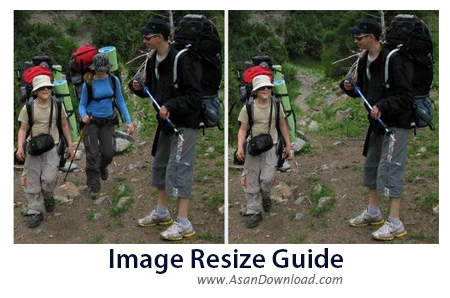
Image Resize Guide نام نرم افزاری جالب و جذاب است که با این که بسیار ساده به نظر می رسد امکانات بسیار هیجان انگیزی در اختیار کاربران قرار می دهد. نرم افزاری که به سادگی علاوه بر تغییر سایز عکس ها بدون افت کیفیت به صورت کاملا هوشمند هریک از Object های موجود در عکس را هم می تواند حذف نماید.
از امکانات این ابزار به واسط گرافیکی ساده ، سهولت در بهره گیری از نرم افزار ، سازگار با فرمت های رایج عکس ها ، ویرایش ساده اما جالب عکس ها و ده ها قابلیت دیگر از جمله مواردی هستند که می توان اشاره نمود.
قابلیت های کلیدی نرم افزار Image Resize Guide:
- واسط گرافیکی ساده و کاربرپسند
- پشتیبانی از فرمت های مخلتف برای عکس ها
- توانایی ویرایش ساده تصاویر
- قابلیت تغییر سایز بدون کاهش کیفیت
- امکان حذف Obejct از عکس بدون تغییر
- سازگار با نسخه های مختلف ویندوز از جمله ویندوز محبوب 7 و 8
- و ...


Image Resize Guide Lite is a software tool that was developed in order to help individuals edit and resize their photographs.
The installation process does not bring any kind of unpleasant surprises and it does not last longer than a few seconds. When you wrap it up, you are brought to a clear-cut and intuitive interface, which only consists of a menu bar, several buttons, a tool bar and a pane which displays the uploaded picture.
It becomes apparent that all types of users can learn how to handle it properly with great ease. In fact, it comes bundled with some comprehensive and well-organized Help contents, as well as some video demonstrations for all important options available.
Image Resize Guide Lite supports import and export using image formats such as JPG, TIF, PNG, BMP, RLE and DIB. These can be added with the help of the incorporated file browser, as well as the “drag and drop” function, which increases ease of use.
When it comes to editing, this program enables you to adjust the brightness, contrast, gamma and saturation levels, insert text with custom font type, style, size and color, rotate, crop and resize pictures, as well as use a smart patch tool to mend blemishes.
It is also possible to zoom in and out of photos, undo and redo actions so as to repair mistakes, change the language and go back to the original image with just a click of the button.
To conclude, Image Resize Guide Lite is an efficient piece of software, with a good response time, a user-friendly interface and minimal resource requirements. You should also know that a full version is also available, called Image Resize Guide.


