




مدتهاست به فکر فروش دوره آموزشی خودتی، اما درگیر ساخت سایت، درگاه پرداخت، حفاظت از ویدیوها و پیدا کردن راهی برای فروش هستی؟
لازم نیست برای هرکدوم سراغ یک ابزار جدا بری یا درگیر مسائل فنی بشی.
با دورهساز میتونی سایت آموزشی خودت رو راهاندازی کنی، دورههات رو با خیال راحت بفروشی و دانشجوهات رو مدیریت کنی؛ همه در یک پلتفرم.
تو روی آموزش و رشد کسبوکارت تمرکز کن؛ دورهساز ابزارهای لازم رو در اختیارت
میذاره.
آمادهای تخصصت رو به یک کسبوکار آموزشی تبدیل کنی؟
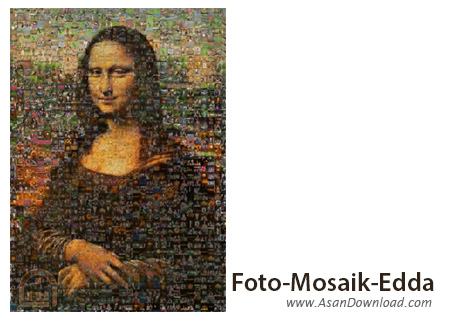
نرم افزاری رایگان در زمینه ساخت تصاویر موزائیکی جالب و جذاب را برای این پست آماده کرده ایم. نرم افزاری که Foto-Mosaik-Edda نام داشته و با کنار هم قرار دادن صدها عکس به صورت کوچک یک تصویر واحد را تشکیل می دهد که بسیار جالب و جذاب خواهد بود. عملکرد نرم افزار با یک Wizard انجام می گیرد که تنها با چند کلیک ساده و انتخاب تصاویر اصلی کاربر خروجی را با کیفیت بالا تحویل می گیرد و می تواند با فرمت های مختلف ذخیره نماید یا برروی شبکه های اجتماعی به اشتراک بگذارد. پیشنهاد می کنیم برای جذاب تر شدن عکس ها از این ابزار بهره بگیرید.
قابلیت های کلیدی نرم افزار Foto-Mosaik-Edda:
- پشتیبانی از فرمت های مختلف عکس
- ذخیره سازی با فرمت و کیفیت دلخواه
- سهولت در بهره گیری از امکانات نرم افزار
- خروجی های جذاب و هیجان انگیز در نرم افزار
- رایگان بودن نرم افزار
- سازگار با نسخه های مختلف سیستم عامل محبوب مایکروسافت ویندوز
- و ...


Foto-Mosaik-Edda is a program designed to help you create mosaic pictures from multiple items. It can be easily comprehended, even by less experienced users.
The interface of the tool is based on a standard window where you can get started by creating a new database by adding pictures (from the hard drive or via Flickr.com).
So, you can create a mosaic picture and select between four types - classic, parquet, chaos or detail style.
Once you select a theme image to be transformed into the mosaic picture, you can specify the format for the final mosaic between single and multiple image files.
From the 'Preferences' area you can change the UI language and default directory of databases on the hard disk, as well as select the default aspect ratio and measurement unit. Plus, you can make the tool automatically check for updates on program startup.
The program runs on a moderate-to-high amount of CPU and system memory, and has a good response time. We have not come across any error dialogs during our tests and Foto-Mosaik-Edda did not freeze or crash. Unfortunately, there is no help file available. Thanks to its intuitive layout, Foto-Mosaik-Edda's features can be easily figured out, even by inexperienced users.


